
Reflex Labs is a company building decision models that you own. We fine-tune our models on your company's decisions, and hand you the weights to run on your own infrastructure.
Our models are System One models: small, fast models that read a situation and answer typed questions with calibrated probabilities, instead of writing text. The base models ship with open weights under Apache-2.0, so anyone can run them, inspect them and fine-tune them.
Own your intelligence
Most companies today rent their AI. Every decision goes out to an API, the provider controls the model, and the company keeps none of what it learns. We think a company's decisions should be made by a model it owns.
Trained on your decisions. We fine-tune a vera on your past decisions, your labels and your edge cases, and measure it on your own test set. A model trained this way fits your workflow better than any generalist model, open or closed.
Running on your infrastructure. You receive the weights and own them outright. The model runs on your GPUs or in your cloud account, so your data never leaves, there are no per-call fees, and no provider can change the model under you.
Improving over time. We retrain the model as your policies and data change, and train it on new workflows as you bring them to us. Every new version is handed over the same way.
This matters most in regulated industries such as finance and insurance, where sensitive data cannot be sent to an external API for every decision, and where a model you own is easier to document, log and audit.
Decision Index
Scores are the public board's Decision Index 0.4.1: 60% private tests of the same skills and 40% private tasks from new domains, which nobody can train on. vera-large-2o ranks =8 of 300 entries, above Jev 1.14 at =13, and scores 71.5 on the vision board. Snapshot of 12 November 2026.


How we build vera
Same interface as Jev. Every vera model answers POST /v1/systemone with Jev's request and response shape. A choice picks one of 2 to 255 options, a score rates on 2 to 10 ordered levels, and a noul returns the probability of yes. Existing Jev clients switch by changing a base URL, so the comparison is like for like.
Scale, then read better. Architecture changes on a small encoder moved our scores by noise. Two things moved them for real: a larger backbone, and changing how the model reads the options and what it learns from. vera-medium-omni applies both to Qwen3.5-4B, and vera-large-2o brings the same reading to Qwen3.8-27B, each with its base model's vision tower.
Calibration, not just accuracy. Jev's value is that its probabilities can be trusted. Every vera returns a probability for each option, calibrated per question type after training, so a workflow can act alone when the model is sure and hand off to a slower model or a person when it is not.
Open weights, built to be fine-tuned. vera-large-2o and vera-medium-omni are Apache-2.0 on Hugging Face, in bf16. Both are generalist bases: fine-tuned on decisions from your own domain, a vera fits your labels and your calibration far better than any generalist model, open or closed.
Get started
Your browser blocked automatic copying. The prompt is selected below: press ⌘C or Ctrl+C.
# pip install -U vera-s1
import vera

agent = vera.load("scar-ai/vera-medium-omni")   # or "scar-ai/vera-large-2o"
result = agent.predict(
    "Hi, we were billed twice for March. Please refund the duplicate "
    "today or we will cancel our plan.",
    {"department": {"type": "choice",
                    "instructions": "Which department should handle this?",
                    "criteria": {"billing": "invoices, payments, refunds",
                                 "technical": "bugs, outages",
                                 "other": "everything else"}},
     "churn_risk": {"type": "noul",
                    "instructions": "Does the user threaten to cancel or leave?"}})
print(result["answers"])
Start with one workflow your team runs every day.
Talk to usFine-tuning · Weights handover
Own your intelligence.
We fine-tune our models on your workflow. Then we hand you the weights, to run on your own infrastructure. The model is yours, and we keep making it better.
- 01MapThe decisions your workflow makes.
- 02CollectYour past decisions become training data.
- 03Fine-tuneTrained and measured on your test set.
- 04Hand overYou get the weights. The model is yours.
- 05Keep improvingOngoing support, and new workflows trained in over the years.
Better at your work
A generalist guesses at what “escalate” or “out of policy” means. Trained on your decisions, the model learns your labels and edge cases, with probabilities calibrated on your data, so it acts alone when sure and hands off when not.
Yours, on your infrastructure
Once the fine-tune is done, we hand the model weights over to you, and you own them outright. You run them on your own GPUs or in your cloud account: your data never leaves, there are no per-call fees, and no vendor can change the model under you.
A model that grows with you
The handover is not the end. We support your team in production, retrain the model as your policies and data change, and fine-tune it on new workflows as you bring them to us, year after year. Every new version is handed over the same way, and every version stays yours.
Start with one workflow your team runs every day.
Talk to usBlog
Qwen3.8 thinks 43% less after a 0.00027% weight edit
We made Qwen3.8-27B spend 43% fewer tokens thinking, at the same accuracy, by changing 71,680 of its 26.9 billion weights. We did no training and used no optimizer. Every changed weight was computed by a formula from the model's own activations. The model is released as Qwen3.8-27B-Quickthinker on Hugging Face.
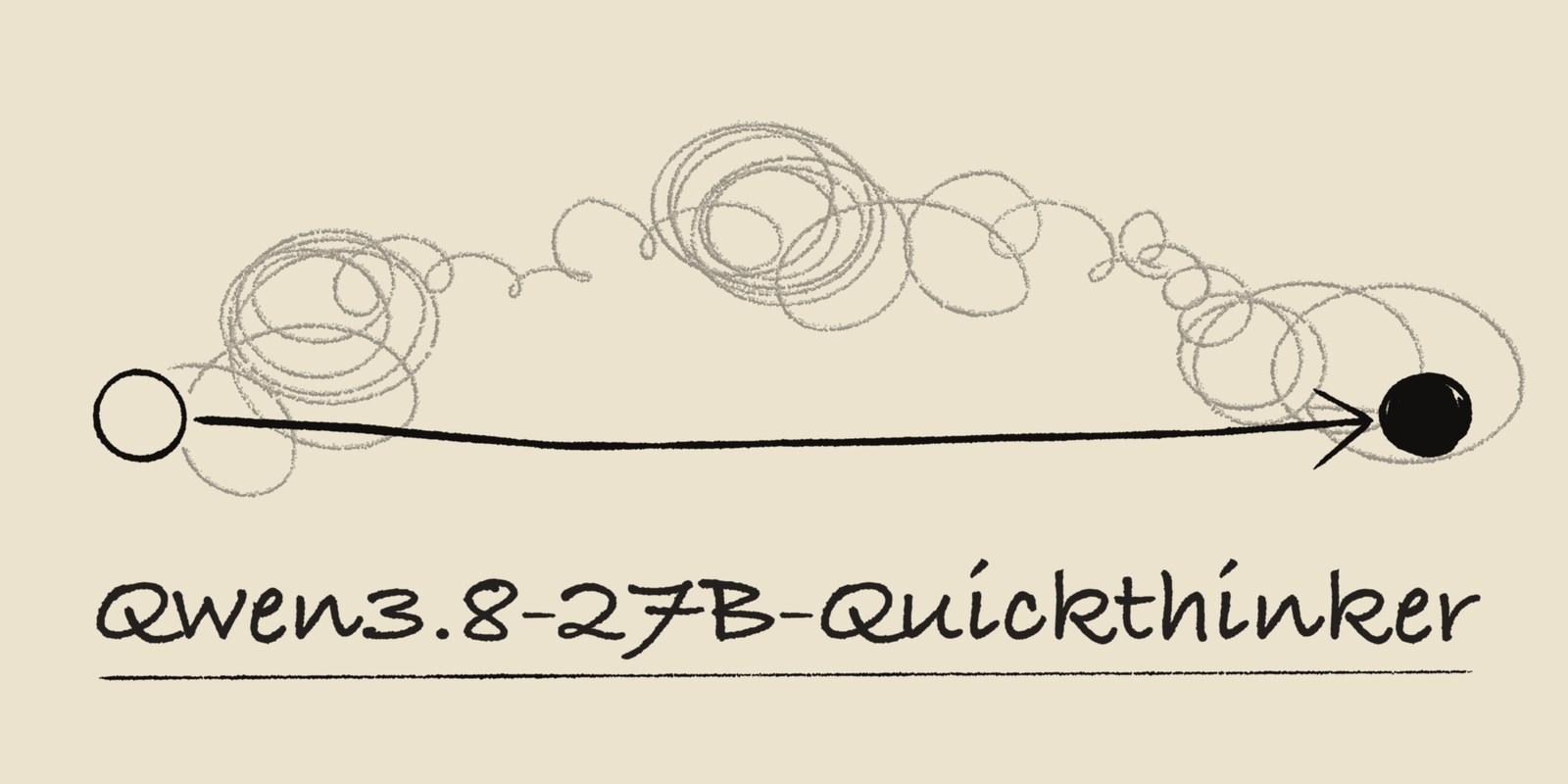
The work was done by miniml, our in-house research harness, in one night on a single AMD MI300X. We gave it the model, a GPU and one goal: make Qwen3.8-27B think less without getting worse on benchmarks, using weight-space programming instead of training. It framed the problem, built the evaluation, ran the experiments, threw out the ideas that did not hold up, and wrote up the results.
Why thinking length matters
A reasoning model pays for every thought. Each thinking token costs GPU time and adds latency before the answer arrives. Qwen3.8-27B is a strong reasoner, but in thinking mode it keeps checking work it has already got right: “Wait, let me double-check.” “Hmm, maybe I should verify.” On our evaluation set, 4 to 6% of its runs hit the 16,384-token cap and never gave an answer at all.
Cutting that habit makes every answer cheaper and faster. The usual ways to do it are fine-tuning on short traces, reinforcement learning with a length penalty, or a prompt that asks for brevity. We wanted to see how far we could get by editing the weights directly, with no gradient steps.
Results
We scored the edited model once, at the very end, on 450 held-out problems: 150 each from GSM8K, MATH-500 and MMLU-Pro. None of these problems were used to build or choose the edit. Each model ran with 2 sampling seeds, and we compared them problem by problem.
| Thinking tokens | Accuracy | ||||
|---|---|---|---|---|---|
| Task | Original | Edited | Change | Original | Edited |
| GSM8K | 528 | 164 | −69% | 0.980 | 0.977 |
| MATH-500 | 1,897 | 1,073 | −43% | 0.963 | 0.990 |
| MMLU-Pro | 3,429 | 2,110 | −38% | 0.797 | 0.817 |
| All | 1,951 | 1,116 | −42.8% | 0.913 | 0.928 |
The cut is significant: 95% confidence interval of −637 to −1,045 tokens per problem. Fewer runs ran out of tokens, 1.6% instead of 3.8%. Excluding the problems where any run was truncated, the cut is even larger, at −50%.
We read the accuracy as the same, not better. The +1.4 points come almost entirely from fewer runs hitting the cap, which count as wrong. On problems where every run finished, accuracy moved by −0.3 points on GSM8K, +0.7 on MATH-500 and 0.0 on MMLU-Pro. With a 32k cap on the 30 hardest validation problems, both models scored the same within noise, and the edited model still used 40% fewer tokens.
Weight-space programming
Training changes a model by showing it examples and letting an optimizer nudge billions of weights. Weight-space programming treats the network more like a program: you read it, find where a behavior lives, and write the change in directly. The edits are small, every one has a formula, and you can explain exactly what changed and why.
The basic move is simple. Run the model on two kinds of input that differ only in the behavior you care about, average its internal activations on each, and take the difference. That difference is a direction in the model's hidden space. Then find a place in the weights where adding that direction has the effect you want, and add it there, permanently.
miniml has a toolkit for this. It can inspect and probe any layer, apply versioned patches and revert them, and score a patch on a cheap proxy before running a real evaluation. Its guardrails enforce the rules programmatically: in this mode the harness blocks optimizers and backpropagation, caps the number of forward passes it may spend on analysis, and locks the held-out test set until the end.
How miniml ran the project
- Framed the metric. Mean thinking tokens per problem, with an accuracy guard: any config below 0.87 accuracy is heavily penalized. A run that never closes its thinking counts as wrong.
- Split the data. 300 validation problems for choosing between ideas, 450 test problems kept locked until the end, and separate training-split prompts used only to measure directions. The sets do not overlap.
- Measured the noise. Three baseline seeds varied by about ±7% in thinking length. Any “win” smaller than that is noise, which mattered: two early single-seed wins of −8% and −13% shrank to almost nothing once more seeds came in.
- Searched. 21 experiments in a tree, each one a patch built from saved directions, and about 30 full evaluation runs in vLLM. Promising patches were rerun with more seeds before they counted.
- Committed before testing. miniml wrote down its selection rule before touching the test set: accuracy at least the baseline's over 3 seeds, no more truncations than the baseline on MMLU-Pro, and no MMLU-Pro accuracy drop of more than 5 points on finished problems, even at the low end of the confidence interval. It then ran the test once.
- Had it reviewed. A separate reviewer agent audited the work twice: no overlap between the problems used to build the edit and the ones used to score it, no training anywhere in the logs, and every number in the report checked against the raw results.
The edit
The final patch has three parts. One does almost all of the work.
1. A conciseness instruction, written into the weights
Qwen3.8 already knows how to think briefly when asked. Add the line “Think efficiently: keep your reasoning brief” to the prompt and it thinks much less. So miniml ran the model on 96 training prompts twice, with and without that line, and took the difference in the average activation at layer 52 over the thinking tokens. That vector is what the instruction does inside the model.
To make the effect permanent, it needed a spot in the weights that is active on every token. It found one: neuron 5,247 in layer 52's MLP fires at about 0.79 on almost every thinking token. Adding the conciseness vector to that neuron's output weights means the model adds it to its own residual stream at every step, as if the instruction were always in the prompt. This is one column of 5,120 weights.
# v = mean layer-52 activation with the instruction − mean without it
# neuron 5247 fires at ~0.79 on every thinking token, so it carries v everywhere
W_down[52][:, 5247] += alpha * v / 0.79      # alpha = 7
2. Fewer hedges
Twelve words open most of the model's second-guessing: Wait, Hmm, Maybe, Actually, Alternatively, Perhaps, Hold, and a few more. miniml lowered their output rows in the final projection along the model's average final hidden state, which works out to a penalty of about 4 logits on each. That is 61,440 weights.
3. A nudge at paragraph breaks
Neuron 7,546 in layer 56 fires only on paragraph breaks. Its output weights got the difference between paragraphs that push the solution forward and paragraphs that reflect on it, so each new paragraph leans toward doing rather than doubting. Another 5,120 weights.
On their own, parts 2 and 3 saved only about 4%, which was not significant: banned from saying “Wait”, the model starts its doubts with “What if” or “But” instead. Stacked under the conciseness edit they add about 7% more, and they slightly reduce runaway traces.
How strong to make it
The conciseness edit has one knob, its strength alpha. Turning it up made the model think less with no loss in accuracy, up to a point.
| Strength | Thinking tokens | Change | Accuracy |
|---|---|---|---|
| Original model | 2,397 | – | 0.890 |
| alpha 2 | 1,875 | −22% | 0.911 |
| alpha 5 | 1,538 | −36% | 0.922 |
| alpha 7 shipped | 1,395 | −42% | 0.912 |
| alpha 10 | 2,330 | collapses | 0.843 |
Validation set, 300 problems, 3 seeds each (1 seed at alpha 10).
Past 7 there is a cliff. At 10 the terse style turns into counting loops on MMLU-Pro (“257? 258? 259?”), a quarter of those runs never finish, and MMLU-Pro accuracy falls to 0.62. miniml shipped 7 because it passed the pre-registered rule; 5 is the safer setting if robustness matters more than the last 6%.
What did not work
- Banning hedge words harder. Doubling the penalty to 8 logits stalled at about −8%. The model just found other words.
- Steering at paragraph breaks alone. On the cheap proxy it halved the probability of a hedge. In real generations it saved 1 to 4%, because the model wrote more “Let's” paragraphs instead.
- A trigger for “stop thinking now”. The model gives the end-of-thinking token almost zero probability everywhere except the true end, so the decision to stop is made earlier, in the closing sentence. The best linear signal for “should have stopped by now” was too weak to act on without cutting some traces short.
- The conciseness vector at paragraph breaks only. It did nothing. Applied at every token through the always-on neuron, the same vector is the main result. Where an edit is injected mattered more than how much data built it.
Limits
The prompt still wins slightly. Adding the conciseness line to the prompt cut thinking by 48% on validation, against 42% for the edit. The edit's value is that no prompt changes: every client, every chat template and every agent gets the shorter thinking automatically, at no cost at inference time.
Coverage. We tested math and multiple-choice questions. Coding, agentic and long-context tasks were not part of this study; we are now measuring the edited model on agentic coding.
One model, one setting. The results are for Qwen3.8-27B in thinking mode, with temperature 1.0 and a 16k thinking cap.
Discontinuedvera-core is no longer maintained. Use vera-core-2 instead.
Open-weights model · System One
vera-core

Your browser blocked automatic copying. The prompt is selected below: press ⌘C or Ctrl+C.
- Parameters
- ~2B
- Base
- Qwen3.5-2B
- Context
- 8,192 tokens
- Latency
- 100 ms
- Weights
- 3.8 GB bf16
- License
- Apache-2.0
Latency is the median per Decision Index request on the board's RTX PRO 6000.
vera-core is a non-autoregressive System One decision model. Give it a state (text, an email, a ticket or JSON) and typed questions, and it returns typed answers with calibrated probabilities in a single forward pass over an 8,192-token context. It never generates text.
vera-core started life as a chat model. We took Qwen3.5-2B, a generative language model, and turned it into a System One model. The next section shows how.
Pick vera-core when you want a 2B model with open weights and vLLM or SGLang serving today. Its sibling, vera-core-2, is the newer 2B model, 11 points higher on the public index. Both speak the same interface and wire format, so you can swap one for the other.
From an LLM to a System One model
A language model makes a decision by writing it out, one token at a time, and you parse the text afterwards. vera-core keeps everything Qwen3.5-2B learned from reading, and removes the writing.
Qwen3.5-2B, as released
prompt + ticket → generate token by token → "The department is billing." → parse the text, hope it matches → no reliable probability
vera-core
state + typed questions → one forward pass, nothing generated → billing 0.94 · technical 0.04 · other 0.02 (example) → always a valid option → calibrated probability for every option
- Keep the backbone. We take Qwen3.5-2B's text backbone with its pretrained weights. Everything it learned about language, numbers and instructions stays.
- Read, don't write. The model reads the question and its options, then the state, then the question and options again. Because a causal model only looks backwards, the second copy lets it weigh every option with the whole state in view. There is no generation step.
- Add a decision head. A purpose-built head scores every option of every question at once, from that single forward pass. Choice, score and yes/no questions all come out as a probability distribution.
- Train on decisions. We fully fine-tune the whole stack on decision data, then fit the probabilities so they are calibrated.
The result answers a Decision Index request in 100 ms at the median and can still be served by vLLM and SGLang through an adapter, because its backbone is a standard Qwen model.
Fine-tuning on your own decisions will yield better results. The released checkpoint is a generalist base, built as a starting point.
Quickstart
# pip install "vera-s1[fast]"   # [fast] adds flash-linear-attention on GPU
import vera

agent = vera.load("scar-ai/vera-core")
state = "Hi, we were billed twice for March. Please refund the duplicate today or we will cancel our plan."
questions = {
    "department": {"type": "choice", "instructions": "Which department should handle this?",
                   "criteria": {"billing": "invoices, payments, refunds",
                                "technical": "bugs, outages, system errors",
                                "other": "everything else"}},
    "urgency": {"type": "score", "instructions": "How urgent is this?",
                "criteria": ["not urgent", "soon", "blocking"]},
    "churn_risk": {"type": "noul", "instructions": "Does the user threaten to cancel or leave?"},
}
result = agent.predict(state, questions)
print(result["answers"]["department"]["choice"])   # billing
print(result["answers"]["churn_risk"]["noul"])     # probability of yes
Or serve it with the same request and response shape as Jev:
vera-serve --model scar-ai/vera-core --port 8200
curl -s localhost:8200/v1/systemone -H 'Content-Type: application/json' -d '{
  "state": "I was charged twice. Please fix this ASAP.",
  "questions": {"billing": {"type": "noul", "instructions": "Is this ticket about billing?"}}}'
vera-serve binds 127.0.0.1 and has no authentication. Put it behind your own gateway before exposing it.
To run the backbone on vLLM instead of PyTorch, install the vllm extra and pass --engine vllm. The decision head runs on top, and the HTTP API stays the same. A CUDA or ROCm GPU is required.
pip install -U "vera-s1[vllm]"
vera-serve --model scar-ai/vera-core --engine vllm --port 8200
vLLM takes 50% of GPU memory by default; on a dedicated GPU, raise it with --gpu-memory-utilization 0.9. --max-model-len sets the longest request in tokens (default 8,192); longer requests are refused. Add --host 0.0.0.0 to listen on all interfaces.
vLLM runs the backbone and the decision head runs on top, through a small adapter that ships in the Hugging Face repo. A GPU is required.
1. Install vLLM:
pip install vera-s1 vllm
2. Download the adapter and export the backbone in vLLM's format (once):
hf download scar-ai/vera-core --include "engines/*" --local-dir .
python engines/export_backbone.py --model scar-ai/vera-core --out ./vera-core-backbone
3. Load it through vLLM and ask a question:
import sys; sys.path.insert(0, "engines")
from vera_engine import from_vllm

agent = from_vllm("scar-ai/vera-core", "./vera-core-backbone")
print(agent.predict("I was charged twice. Please fix this ASAP.",
                    {"billing": {"type": "noul", "instructions": "Is this ticket about billing?"}})["answers"])
Or keep the vera package and its HTTP server, with vLLM running the backbone:
pip install -U "vera-s1[vllm]"
vera-serve --model scar-ai/vera-core --engine vllm --port 8200
Use the adapter or vera-serve rather than vllm serve scar-ai/vera-core: vllm serve expects a text generator, and vera scores options instead of writing text.
# pip install -U transformers
from transformers import AutoModel

model = AutoModel.from_pretrained("scar-ai/vera-core", trust_remote_code=True)   # add .to("cuda") on a GPU
state = "Hi, we were billed twice for March. Please refund the duplicate today."
questions = {"department": {"type": "choice", "instructions": "Which department should handle this?",
                            "criteria": {"billing": "invoices, payments, refunds", "other": "everything else"}}}
print(model.predict(state, questions)["answers"]["department"])   # same shape as POST /v1/systemone
Custom code, so trust_remote_code=True. Outputs match the vera package.
Use cases
- Routing and triageSend a ticket, email or request to the right team, queue or priority.
- Intent classificationMap messages to your own intent set, with calibrated confidence for escalation.
- Tool selectionChoose which tool or API an agent should call next.
- Policy checksDecide whether a case follows a rule or breaks it.
- Scoring and severityRate urgency, sentiment or risk with a full probability distribution.
- Claim verificationCheck a statement against a document.
- Judging and rankingCompare candidate responses and pick the better one.
- Confidence gatingAct automatically when confident, hand off to a slower model or a person when not.
Decision Index
| Model | Full | Public | Knowledge | Language | Retrieval | Tools | Arts |
|---|---|---|---|---|---|---|---|
| vera-core | 28.07 | 30.11 | 15.4 | 34.9 | 39.5 | 41.4 | 16.3 |
| vLLM-SR d3-nano 2.2B, same size | 38.86 | 42.22 | 25.3 | 42.2 | 58.8 | 58.9 | 22.4 |
| Jev 1.14 reference | 61.53 | 60.70 | 57.1 | 61.2 | 63.5 | 73.8 | 39.2 |
Chance-corrected scores, higher is better. Full blends 20% public, 50% private same-skill and 30% private new-domain tests. Board calibration error (ECE) 0.122. Held-out decisions (3.6k items, decontaminated): 81.4. Other rows are from the public board, Decision Index 0.3.2.
Where it runs
| vera-serve | Supported | Reference decision API server, batches concurrent requests. |
| vera package | Supported | vera.load(...).predict(...) |
| transformers | Supported | AutoModel with trust_remote_code=True. |
| vLLM / SGLang | Supported | Through an adapter, same decision API. |
Weights ship in bf16 on main. Python 3.10+ and transformers 5+. A CUDA or ROCm GPU is recommended.
Limitation. The released checkpoint is not tuned for browser or computer-use agents. For those, fine-tune it on traces from your own agent first.